ECG Productions
ECG Blog

Post

How to Choose the Right Video Editing Software for Your Production Workflow

Explore practical insights on selecting video editing software that fits your production needs, balancing strategy, post-production efficiency, and delivery quality.

Updated Jun 28, 20263 min readPost
EDITING ON SHIFTING SANDS OR: How I Learned To Stop Worrying and Love Premiere article image showing ECG Productions post-production and finishing work.

Post

Post-production thinking for edits, finishes, fixes, and final delivery.

Post-Production Context

Know what the footage needs after the shoot.

Post is where structure, pacing, sound, color, graphics, delivery specs, and review discipline either strengthen the project or expose the problems that were never solved earlier.

Tools change, but the edit still has to think.

Post-production software, codecs, AI tools, and platform specs keep moving. The durable lesson is still story, pacing, structure, sound, color, graphics, review discipline, and finishing for the places the video has to live.

Know what feels wrong before post starts.

If the article sounds close to your situation, gather source footage, current cuts, brand guidance, platform specs, deadline, and the places where the piece is not landing yet.

Connect the read to finishing decisions.

Post-production is where edit goals, review rounds, delivery versions, sound, color, graphics, captions, and final placement all come into focus.

Article

Explore practical insights on selecting video editing software that fits your production needs, balancing strategy, post-production efficiency, and delivery quality.

Help video producers and agencies decide which editing software best supports their production workflow and project goals.

Understanding Your Production Workflow Needs

Choosing the right video editing software starts with a clear understanding of your production workflow. Consider the types of projects you handle, from quick social clips to complex branded content, and the technical demands like codec support, resolution, and collaboration needs. For example, if you regularly work with high-resolution formats or need robust media management, software that excels in these areas will save time and headaches later in post-production.

Evaluating Editing Software: Beyond the Interface

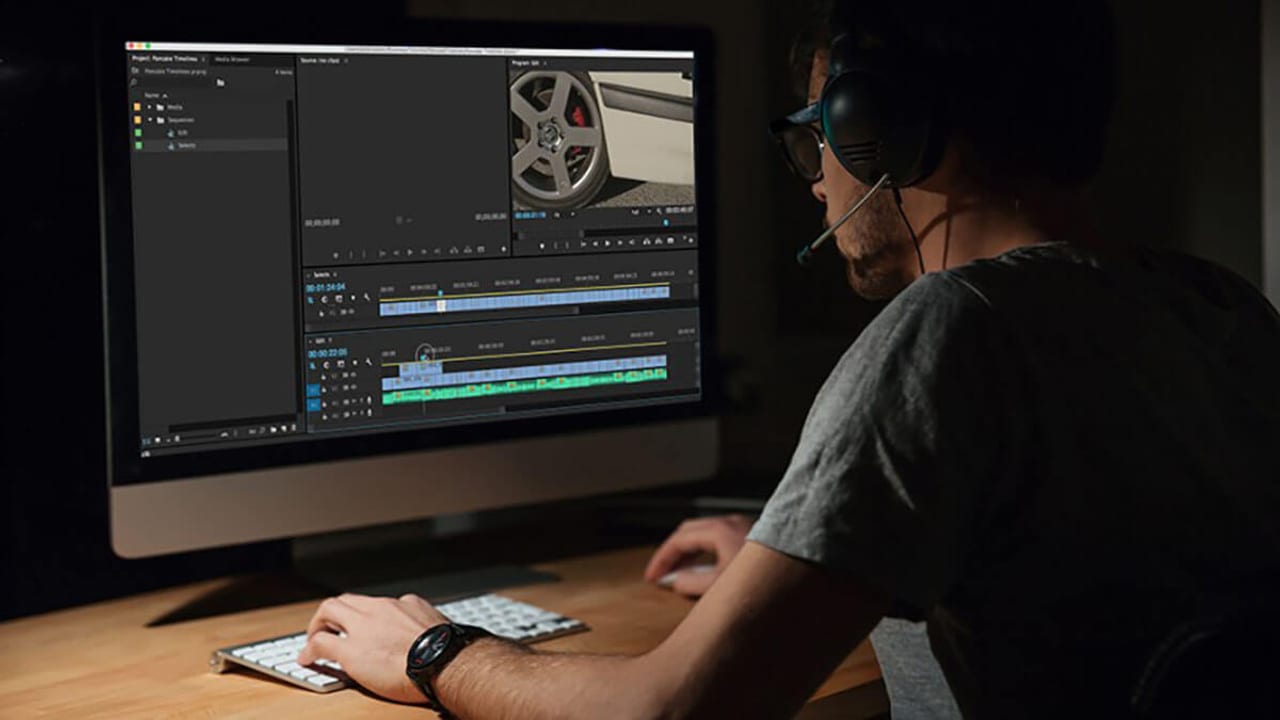
While user interface and ease of use matter, the backbone of your editing software is how it handles media, integrates with other tools, and supports your delivery requirements. Platforms like Adobe Premiere Pro offer seamless integration with Photoshop and After Effects, streamlining graphics and color workflows. On the other hand, software like Avid Media Composer is renowned for its media management and collaborative features, making it a staple for large-scale productions. Understanding these strengths helps align software choice with your team's skill set and project complexity.

Adapting to Industry Changes and Software Updates

The video production landscape evolves rapidly, with new codecs, formats, and delivery platforms emerging constantly. Relying on outdated software can limit your ability to deliver modern content efficiently. For instance, legacy versions of Final Cut Pro, while familiar and efficient, no longer support the latest camera formats or 64-bit processing. Staying current with software updates or switching to platforms actively developed ensures smoother workflows and better output quality.

Balancing Cost, Training, and Production Efficiency

Budget considerations extend beyond software license fees. Factor in the cost of hardware compatibility, training your team, and potential downtime during transitions. Adobe Premiere Pro’s subscription model offers access to a full suite of creative tools, which can be cost-effective for agencies already using Photoshop or After Effects. Conversely, investing in Avid or Final Cut may require upfront costs but can pay off through specialized features and faster editing cycles. Plan your adoption strategy to minimize disruption and maximize productivity.

Planning for Post-Production and Delivery Success

Your editing software choice impacts every stage of post-production — from rough cuts and sound design to color grading and final delivery. Look for tools that support your preferred workflows, whether that’s integrated color correction or third-party plugin compatibility. Also, consider how your software handles approvals and versioning, especially if you’re working with clients or multiple stakeholders. Efficient export presets and delivery options tailored to your distribution channels can save time and ensure consistent quality.

FAQ

What are the key differences between Adobe Premiere Pro and Final Cut Pro for professional editing?

Adobe Premiere Pro offers tight integration with other Adobe Creative Cloud apps like After Effects and Photoshop, making it ideal for teams needing versatile graphics and effects workflows. Final Cut Pro is optimized for Mac users with fast rendering and a user-friendly interface but may lack some advanced media management features found in Premiere or Avid.

How important is media management in choosing editing software?

Media management is critical, especially for projects with large volumes of footage or multiple collaborators. Software like Avid excels at organizing media and handling complex workflows, reducing errors and saving time during post-production.

Can older versions of editing software still be used effectively today?

While older software versions may still function, they often lack support for new codecs, formats, and 64-bit processing, which can limit performance and compatibility. Upgrading or switching to actively supported software ensures smoother workflows and better final output.

What should a team understand about EDITING ON SHIFTING SANDS OR: How I Learned To Stop Worrying and Love Premiere?

The useful takeaway is how audience, creative direction, production choices, post-production, approvals, and delivery needs shape the final video plan.

Where should this kind of project start?

Start with the goal, audience, deadline, where the finished piece needs to live, and the practical constraints that will affect creative and production decisions.

How can ECG help with the next step?

ECG can help connect the creative idea to production planning, filming, post-production, versioning, and delivery so the finished work fits the channel and the audience.


Related ECG Portfolio Video

See the article idea in finished ECG work.

Use Source Digital | Company Overview as an ECG-produced reference for How to Choose the Right Video Editing Software for Your Production Workflow. Compare the audience, tone, distribution plan, and production choices before turning the article into a creative brief.

VimeoCorporateRelated Branded Content workBrand storytelling fit
Open the project

Vimeo

Source Digital | Company Overview

A company overview for Source Digital, built to explain an interactive video platform, its monetization promise, and its business value without letting the technology story turn into buzzword soup.

Visual Context

Connect the article to the kind of work people can actually picture.

Articles perform better when readers can see what the thinking points toward. This visual break connects the topic to ECG production, post-production, real examples, and the next practical decision instead of leaving the page as a long read with no visual rhythm.

See related work

Article FAQ

Practical answers for the production decision.

These answers add practical context for the decisions that usually sit behind post work: scope, timing, creative direction, production approach, and what the finished piece needs to accomplish.

What are the key differences between Adobe Premiere Pro and Final Cut Pro for professional editing?

Adobe Premiere Pro offers tight integration with other Adobe Creative Cloud apps like After Effects and Photoshop, making it ideal for teams needing versatile graphics and effects workflows. Final Cut Pro is optimized for Mac users with fast rendering and a user-friendly interface but may lack some advanced media management features found in Premiere or Avid.

How important is media management in choosing editing software?

Media management is critical, especially for projects with large volumes of footage or multiple collaborators. Software like Avid excels at organizing media and handling complex workflows, reducing errors and saving time during post-production.

Can older versions of editing software still be used effectively today?

While older software versions may still function, they often lack support for new codecs, formats, and 64-bit processing, which can limit performance and compatibility. Upgrading or switching to actively supported software ensures smoother workflows and better final output.

What should a team understand about EDITING ON SHIFTING SANDS OR: How I Learned To Stop Worrying and Love Premiere?

The useful takeaway is how audience, creative direction, production choices, post-production, approvals, and delivery needs shape the final video plan.

Where should this kind of project start?

Start with the goal, audience, deadline, where the finished piece needs to live, and the practical constraints that will affect creative and production decisions.

How can ECG help with the next step?

ECG can help connect the creative idea to production planning, filming, post-production, versioning, and delivery so the finished work fits the channel and the audience.
Next Step

Connect the article to ECG services and work.

When an article sounds like your project, compare the relevant service path and nearby work before you make a production decision.

Keep Exploring

More ECG pages related to How to Choose the Right Video Editing Software for Your Production Workflow.

Related services, examples, and deeper reads add context around the creative choices, production decisions, and tradeoffs behind this topic.

Next step

Ready to talk through the project?

When this starts to sound like your situation, bring ECG the goal and the constraints.

Share This Article

Send this read to the team before the next production call.

Share the article, project, or service page with a teammate, client, producer, or stakeholder who needs the context before the next decision.