Discover how simple, precise editing techniques can create magical visual effects in your video projects—without expensive software or complex VFX. Learn practical tips from
This article helps video producers and marketers decide how to use classic editing tricks to create compelling visual effects efficiently and effectively.
Why Simple Editing Tricks Still Matter in Modern Video Production
In today’s world of flashy visual effects and advanced CGI, it’s easy to overlook the power of simple editing techniques to create magic on screen. Yet, the oldest tricks in the book—like seamless cuts and clever shot matching—remain some of the most reliable and cost-effective ways to produce captivating effects. Understanding these fundamentals helps you plan smarter shoots, reduce post-production complexity, and deliver polished content faster. Whether you’re producing brand videos, marketing campaigns, or internal communications, mastering these editing basics can elevate your storytelling without blowing your budget.
Pre-Production Planning: Setting Up Your Shots for Seamless Effects
The foundation of any convincing visual effect is solid pre-production planning. Before you roll camera, identify the exact moments where you want to create illusions like objects appearing or disappearing. To pull off a seamless cut, you need to keep your camera locked in place—using tripods or rigs that prevent even the slightest movement. Plan your talent’s actions so they can replicate motions consistently across takes. Lighting should remain constant to avoid noticeable shifts that break the illusion. By briefing your team and rehearsing these motions, you set your production up for success and minimize costly reshoots.
Production Tips: Capturing Matching Takes for Clean Transitions
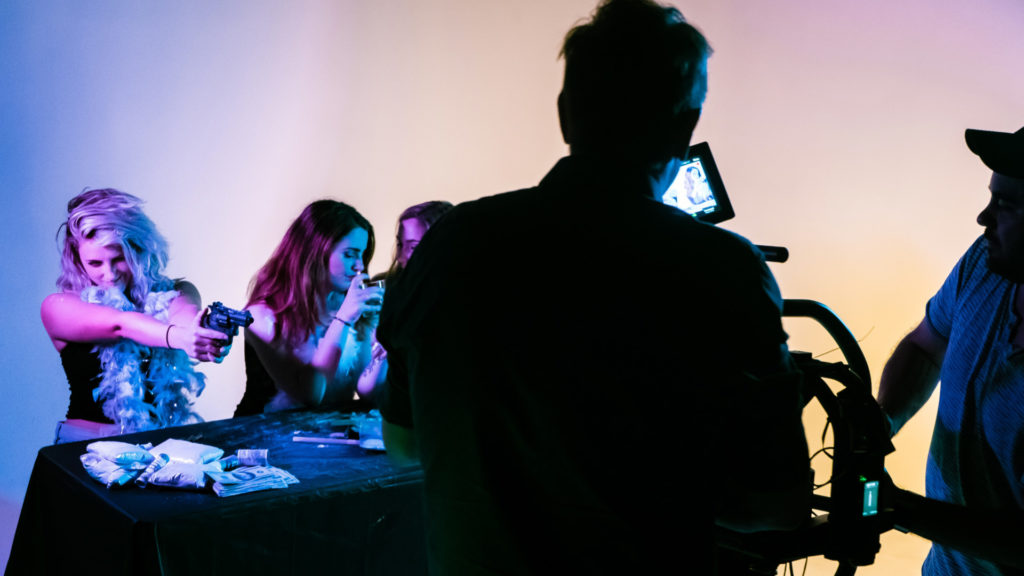
During production, the goal is to capture multiple takes that align perfectly for a smooth edit. Film the action with and without the object or effect you want to manipulate, keeping every element except the target consistent. For example, if you want a ball to disappear mid-toss, shoot the toss with the ball, then shoot the same toss without it—without moving the camera or changing lighting. Avoid touching the camera between takes to maintain the exact framing. Encourage your talent to replicate their movements precisely. These matching takes give editors the raw material needed to create flawless visual illusions in post.
Post-Production: Editing Techniques to Sell the Illusion
The magic happens in the edit suite. Align your two takes frame-by-frame, looking for the moment where everything except the object matches perfectly. Cut during motion—when the subject is moving—to hide minor differences between shots. Motion blurs and natural movement distract the eye, making cuts less noticeable. Avoid cutting on static frames, which highlight discrepancies. Fine-tune color and exposure to ensure lighting matches exactly. With patience and precision, these simple cuts create the illusion of objects appearing, disappearing, or transforming—without needing complex VFX or rotoscoping.
Beyond Basics: When to Use Advanced Effects and How to Integrate Them
While these editing tricks are powerful, some projects demand more complex effects like animation, rotoscoping, or CGI. Use the simple cut-and-match method first to save time and budget. If the effect doesn’t sell or the shot requires more polish, escalate to advanced post-production techniques. Collaborate with your production team early to plan effects and allocate resources. ECG’s full-service video production and post teams can integrate these layers seamlessly, ensuring your project hits its creative and distribution goals without surprises.
FAQ
How do I keep the camera angle consistent between shots?
Use a sturdy tripod or camera rig and avoid touching or moving the camera between takes. Mark the tripod’s position and settings if you need to move it temporarily. Keeping lighting and lens settings identical also helps maintain consistency.
Can I create these effects with just a smartphone camera?
Yes, as long as you can lock your camera position and control lighting, smartphone footage can work well for these tricks. Use a tripod or stable surface to prevent movement and plan your shots carefully.
When should I consider advanced visual effects instead of simple editing cuts?
If your effect requires complex transformations, interactions, or objects that can’t be captured practically, advanced effects like rotoscoping or CGI are appropriate. Start with simple edits to see if they suffice before investing in more costly post-production.
What should a team understand about Making Movie Magic?
The useful takeaway is how audience, creative direction, production choices, post-production, approvals, and delivery needs shape the final video plan.
Where should this kind of project start?
Start with the goal, audience, deadline, where the finished piece needs to live, and the practical constraints that will affect creative and production decisions.
How can ECG help with the next step?
ECG can help connect the creative idea to production planning, filming, post-production, versioning, and delivery so the finished work fits the channel and the audience.